Connect directly to the PLC
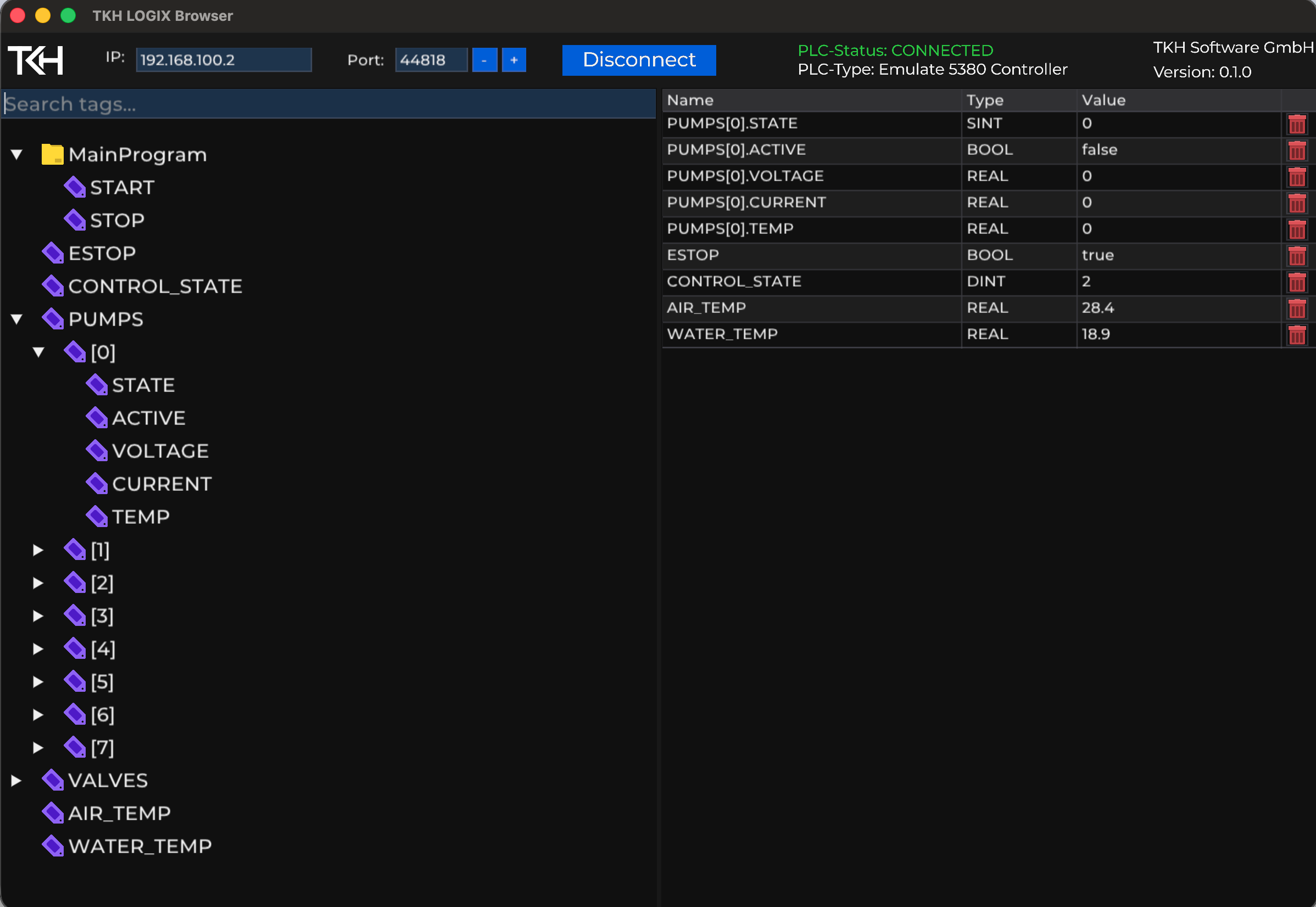
Enter an IP address and port to connect to the controller. Connection status and PLC type are shown directly in the interface.
Free Rockwell Logix tool
Connect to your Rockwell Logix controller, browse tags and keep current values in view. A focused desktop tool for commissioning, diagnostics and preparing software integrations.
Features
Enter an IP address and port to connect to the controller. Connection status and PLC type are shown directly in the interface.
Explore global tags in a tree view, expand nested structures and array elements, and find tags by name or path.
Click tags to add them to the inspector. View each tag’s name, data type and value, with regular updates for selected values, including strings.
Your use case
Check connections during commissioning, monitor values during diagnostics or explore data for an integration: Rockwell Logix Browser brings the tag tree and value inspector together in one interface. The tool is available as a free download for Windows and macOS.
Discuss your use case